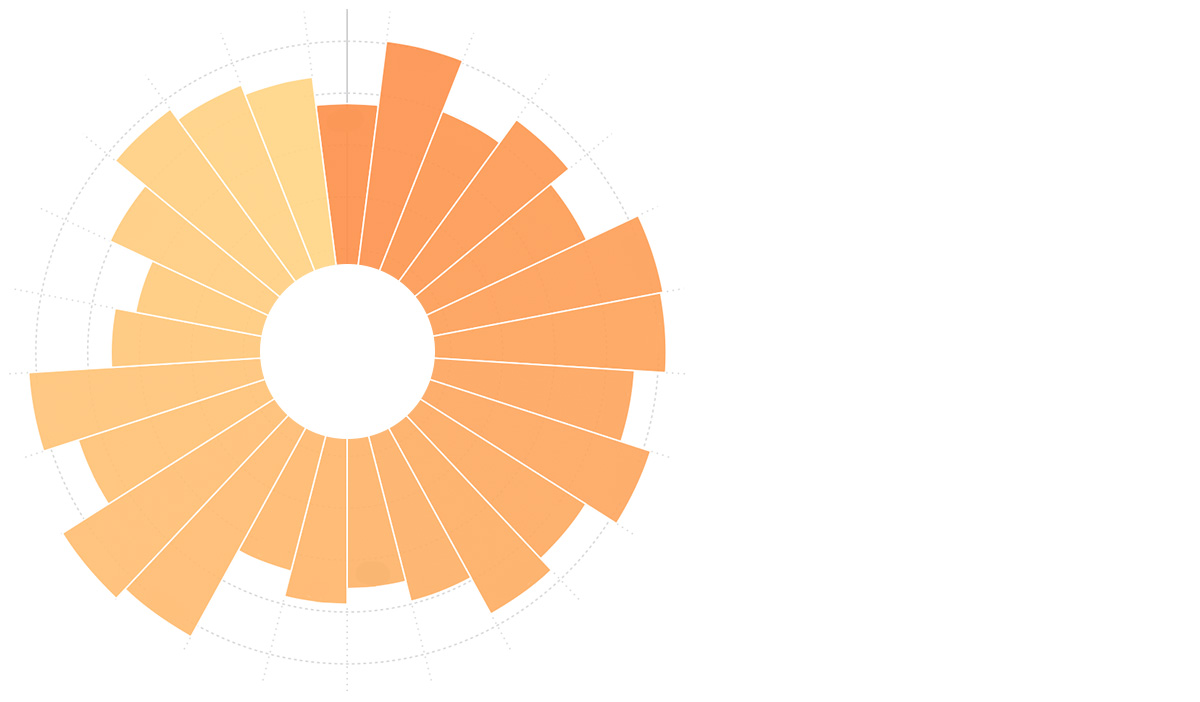
环图
环图的简介
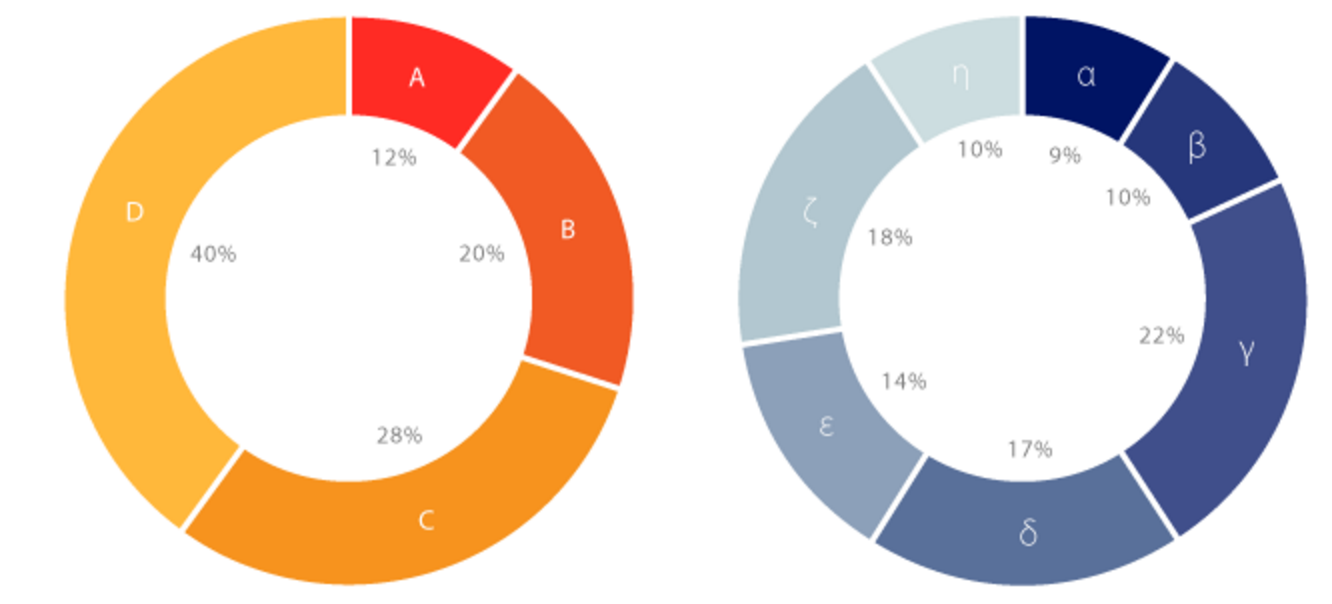
环图(又叫做甜甜圈图),其本质是饼图将中间区域挖空。环图采用了让我们更关注长度而不是面积的做法,这样我们就能相对简单的对比不同的环图。
虽然环图和饼图在数据表达上很相似,但环图还是有它独特的优点:
- 更好的对比性:饼图的整体性太强,我们会将注意力集中在比较饼图内各个扇形之间占整体比重的关系。但如果我们将两个饼图放在一起,饼图很难同时对比两个图。环图解决了这个问题。
- 空间利用率更高:环图可以使用它的空心区域显示文本信息,比如标题、总数等。
英文名:Donut Chart
环图的构成
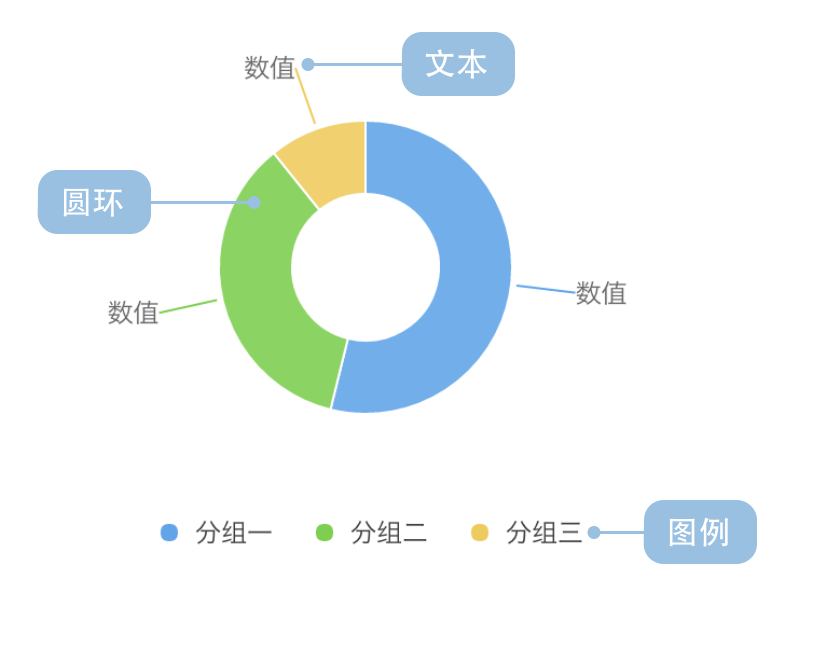
| 图表类型 | 环图 |
|---|---|
| 适合的数据 | 列表:一个分类数据字段、一个连续数据字段 |
| 功能 | 对比分类数据的数值大小 |
| 数据与图形的映射 | 分类数据字段映射到环形的颜色 连续数据字段映射到环形的角度 |
| 适合的数据条数 | 不超过 9 条数据 |
环图的应用场景
适合的场景
例子 1: 展示分类的占比情况
这种用法与饼图类似,下图是一个游戏公司的销售情况:
| genre(游戏类型) | sold(销售量) |
|---|---|
| Sports | 27,500 |
| Strategy | 11,500 |
| Action | 6,000 |
| Shooter | 3,500 |
| Other | 1,500 |
import { Chart } from '@antv/g2';

const chart = new Chart({
  container: 'container',
  theme: 'classic',
});

chart.options({
  type: 'interval',
  autoFit: true,
  transform: [{ type: 'stackY' }], // 添加堆叠转换
  data: [
    { genre: 'Sports', sold: 27500 },
    { genre: 'Strategy', sold: 11500 },
    { genre: 'Action', sold: 6000 },
    { genre: 'Shooter', sold: 3500 },
    { genre: 'Other', sold: 1500 },
  ],
  coordinate: { type: 'theta', innerRadius: 0.5 },
  encode: { y: 'sold', color: 'genre' },
  legend: {
    color: { position: 'bottom', layout: { justifyContent: 'center' } },
  },
  labels: [
    {
      text: 'genre',
      style: {
        fontWeight: 'bold',
      },
    },
    {
      text: (d, i, data) => {
        const total = data.reduce((acc, curr) => acc + curr.sold, 0);
        const percent = ((d.sold / total) * 100).toFixed(2);
        return `${percent}%`;
      },
      style: {
        fontSize: 10,
        dy: 12,
      },
    },
  ],
});

chart.render();
说明:
genre字段映射到颜色,用于区分不同的游戏类型sold字段映射到角度,表示销售量占比的大小- 使用
coordinate: { type: 'theta', innerRadius: 0.5 }创建环图效果
例子 2: 在中心区域显示额外信息
环图的空心区域可以用来显示总数、标题或其他重要信息:
import { Chart } from '@antv/g2';

const chart = new Chart({
  container: 'container',
  theme: 'classic',
});

const data = [
  { type: '移动端', value: 54.2 },
  { type: '桌面端', value: 32.1 },
  { type: '平板端', value: 13.7 },
];

const total = data.reduce((acc, curr) => acc + curr.value, 0);

chart.options({
  type: 'interval',
  autoFit: true,
  transform: [{ type: 'stackY' }], // 添加堆叠转换
  data,
  coordinate: { type: 'theta', innerRadius: 0.6 },
  encode: { y: 'value', color: 'type' },
  style: { stroke: '#fff', lineWidth: 2 },
  legend: {
    color: { position: 'bottom', layout: { justifyContent: 'center' } },
  },
  labels: [
    {
      text: (d) => `${d.value}%`,
      style: {
        fontWeight: 'bold',
        fontSize: 12,
      },
    },
  ],
});

chart.render();
不适合的场景
例子 1: 分类过多的场景
下图是各个省的人口的占比情况,因为这张图上包含的分类过多,很难清晰对比各个省份的人口数据占比情况,所以这种情况下,我们推荐使用柱状图。
import { Chart } from '@antv/g2';

const chart = new Chart({
  container: 'container',
  theme: 'classic',
});

chart.options({
  type: 'interval',
  autoFit: true,
  transform: [{ type: 'stackY' }], // 添加堆叠转换
  data: [
    { province: '北京市', population: 19612368 },
    { province: '天津市', population: 12938693 },
    { province: '河北省', population: 71854210 },
    { province: '山西省', population: 27500000 },
    { province: '内蒙古自治区', population: 24706291 },
    { province: '辽宁省', population: 43746323 },
    { province: '吉林省', population: 27452815 },
    { province: '黑龙江省', population: 38313991 },
    { province: '上海市', population: 23019196 },
    { province: '江苏省', population: 78660941 },
    { province: '浙江省', population: 54426891 },
    { province: '安徽省', population: 59500468 },
    { province: '福建省', population: 36894217 },
    { province: '江西省', population: 44567797 },
    { province: '山东省', population: 95792719 },
    { province: '河南省', population: 94029939 },
    { province: '湖北省', population: 57237727 },
    { province: '湖南省', population: 65700762 },
    { province: '广东省', population: 104320459 },
    { province: '广西壮族自治区', population: 46023761 },
    { province: '海南省', population: 8671485 },
    { province: '重庆市', population: 28846170 },
    { province: '四川省', population: 80417528 },
    { province: '贵州省', population: 34748556 },
    { province: '云南省', population: 45966766 },
    { province: '西藏自治区', population: 3002165 },
    { province: '陕西省', population: 37327379 },
    { province: '甘肃省', population: 25575263 },
    { province: '青海省', population: 5626723 },
  ],
  coordinate: { type: 'theta', innerRadius: 0.4 },
  encode: { y: 'population', color: 'province' },
  legend: false, // 分类太多,关闭图例
  labels: false, // 分类太多,关闭标签
});

chart.render();
说明:上图中分类过多,颜色难以区分,标签重叠严重,不适合使用环图。
例子 2: 分类占比差别不明显的场景
下图中游戏公司的不同种类游戏的销售量相近,角度差异很小,不太适合使用环图,此时可以使用柱状图。
import { Chart } from '@antv/g2';

const chart = new Chart({
  container: 'container',
  theme: 'classic',
});

chart.options({
  type: 'interval',
  autoFit: true,
  transform: [{ type: 'stackY' }], // 添加堆叠转换
  data: [
    { genre: 'Sports', sold: 15000 },
    { genre: 'Strategy', sold: 14900 },
    { genre: 'Action', sold: 15050 },
    { genre: 'Shooter', sold: 13000 },
    { genre: 'Other', sold: 13900 },
  ],
  coordinate: { type: 'theta', innerRadius: 0.5 },
  encode: { y: 'sold', color: 'genre' },
  legend: {
    color: { position: 'bottom', layout: { justifyContent: 'center' } },
  },
  labels: [
    {
      text: (d, i, data) => {
        const total = data.reduce((acc, curr) => acc + curr.sold, 0);
        const percent = ((d.sold / total) * 100).toFixed(2);
        return `${percent}%`;
      },
      style: {
        fontSize: 10,
      },
    },
  ],
});

chart.render();
说明:上图中各个分类的占比都接近 20%,差异很小,难以通过角度清晰地对比数值大小。
环图的扩展
分面环图
使用 G2 的分面功能,可以将分组数据绘制成多个环图。下图展示了全球最大 1000 家银行所在地区在 2007 年和 2011 年的利润总额占比情况:
| 年份 | 地区 | 利润总额(亿美金) |
|---|---|---|
| 2007 | 亚太地区 | 1485.54 |
| 2007 | 非洲及中东 | 330.12 |
| 2007 | 拉丁美洲 | 196.5 |
| …… | …… | …… |
| 2011 | 亚太地区 | 4107.18 |
| 2011 | 非洲及中东 | 495.3 |
| 2011 | 拉丁美洲 | 495.3 |
| …… | …… | …… |
import { Chart } from '@antv/g2';

const chart = new Chart({
  container: 'container',
  theme: 'classic',
});

chart.options({
  type: 'facetRect',
  autoFit: true,
  data: [
    { year: '2007', area: '亚太地区', profit: 1485.54 },
    { year: '2007', area: '西欧', profit: 3631.32 },
    { year: '2007', area: '北美', profit: 2083.9 },
    { year: '2007', area: '非洲及中东', profit: 330.12 },
    { year: '2007', area: '中欧和东欧', profit: 141.48 },
    { year: '2007', area: '拉丁美洲', profit: 196.5 },
    { year: '2011', area: '亚太地区', profit: 4107.18 },
    { year: '2011', area: '西欧', profit: 480.06 },
    { year: '2011', area: '北美', profit: 1783.08 },
    { year: '2011', area: '非洲及中东', profit: 495.3 },
    { year: '2011', area: '中欧和东欧', profit: 259.08 },
    { year: '2011', area: '拉丁美洲', profit: 495.3 },
  ],
  encode: { x: 'year' },
  children: [
    {
      type: 'interval',
      transform: [{ type: 'stackY' }], // 添加堆叠转换
      coordinate: { type: 'theta', innerRadius: 0.5 },
      encode: { y: 'profit', color: 'area' },
      legend: {
        color: { position: 'bottom', layout: { justifyContent: 'center' } },
      },
      labels: [
        {
          text: (d, i, data) => {
            const total = data.reduce((acc, curr) => acc + curr.profit, 0);
            const percent = ((d.profit / total) * 100).toFixed(1);
            return `${percent}%`;
          },
          style: {
            fontSize: 10,
          },
        },
      ],
    },
  ],
});

chart.render();
环图与其他图表的对比
环图和饼图
- 相似性:都用于展示分类数据的占比关系
- 区别:
- 环图中心留空,可以放置额外信息
- 环图更强调弧长(周长),饼图更强调面积
- 环图在多图对比时效果更好
环图和柱状图
- 环图:更适合展示占比关系,强调部分与整体的关系
- 柱状图:更适合展示精确的数值对比,特别是数值差异较小的情况
环图和南丁格尔玫瑰图
- 环图:通过角度表示数值,内径固定
- 南丁格尔玫瑰图:通过半径表示数值,更容易区分数值差异