---
title: "Mosaic Plot"
description: "Use rectangular areas and partition proportions to show frequencies in categorical data. Explore mosaic chart use cases and G2 examples."
language: "en"
canonical: "https://g2.antv.antgroup.com/en/charts/mosaic/"
version: "5.4.8"
---
[Resource index](/llms.txt)
 ## Introduction to Mosaic Plots
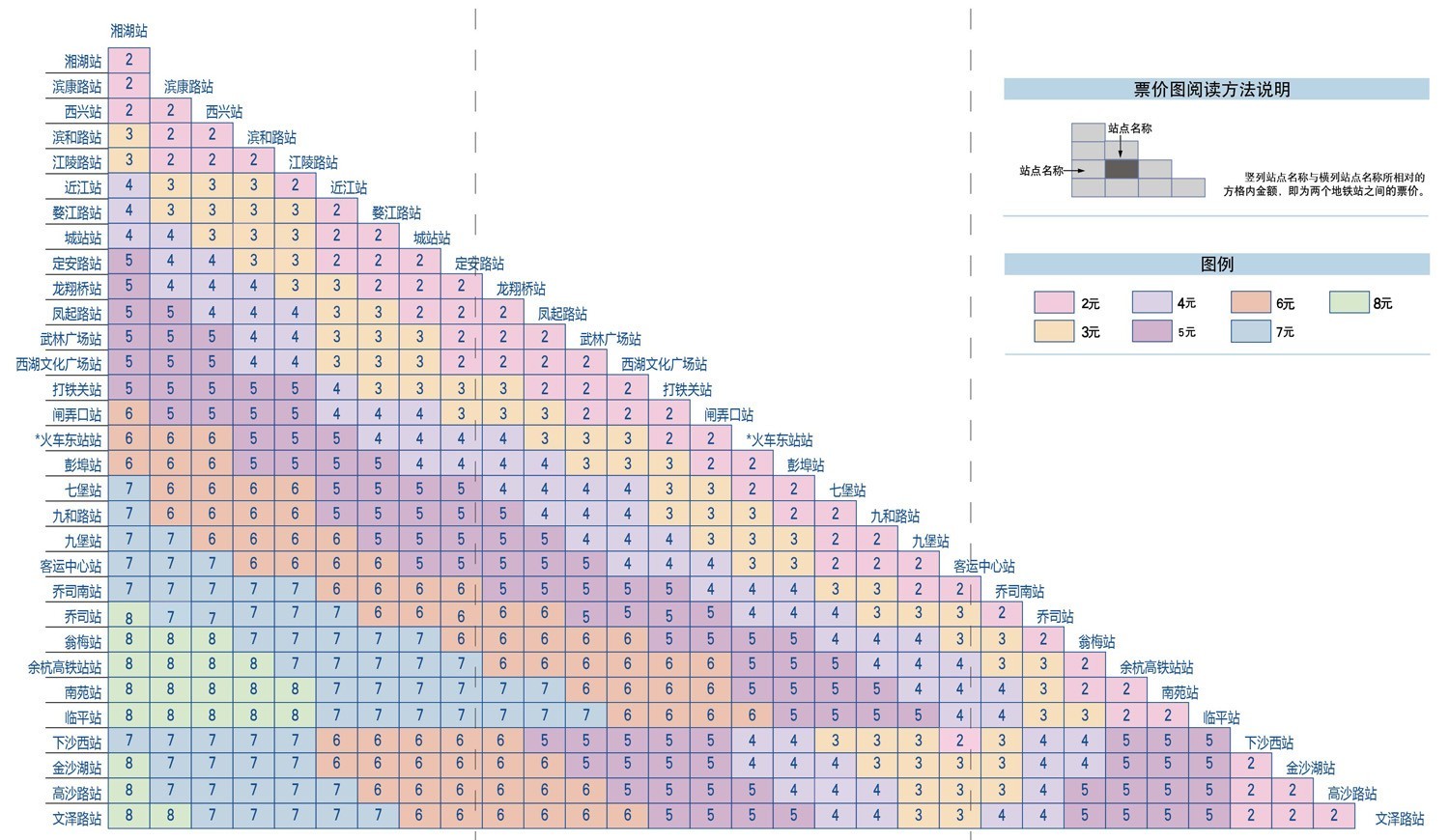
A mosaic plot (also known as a Marimekko Chart) is a chart used to display relationships between categorical data. It represents data proportions and classifications through the area and color of rectangles.
Mosaic plots are divided into two types: uniform and non-uniform. Uniform mosaic plots are more common in daily life, such as subway fare charts, while non-uniform mosaic plots are more frequently used in statistical fields.
**Other Names**: Mosaic Plot, Marimekko Chart
## Components of a Mosaic Plot
### Non-uniform Axis Mosaic Plot
## Introduction to Mosaic Plots
A mosaic plot (also known as a Marimekko Chart) is a chart used to display relationships between categorical data. It represents data proportions and classifications through the area and color of rectangles.
Mosaic plots are divided into two types: uniform and non-uniform. Uniform mosaic plots are more common in daily life, such as subway fare charts, while non-uniform mosaic plots are more frequently used in statistical fields.
**Other Names**: Mosaic Plot, Marimekko Chart
## Components of a Mosaic Plot
### Non-uniform Axis Mosaic Plot
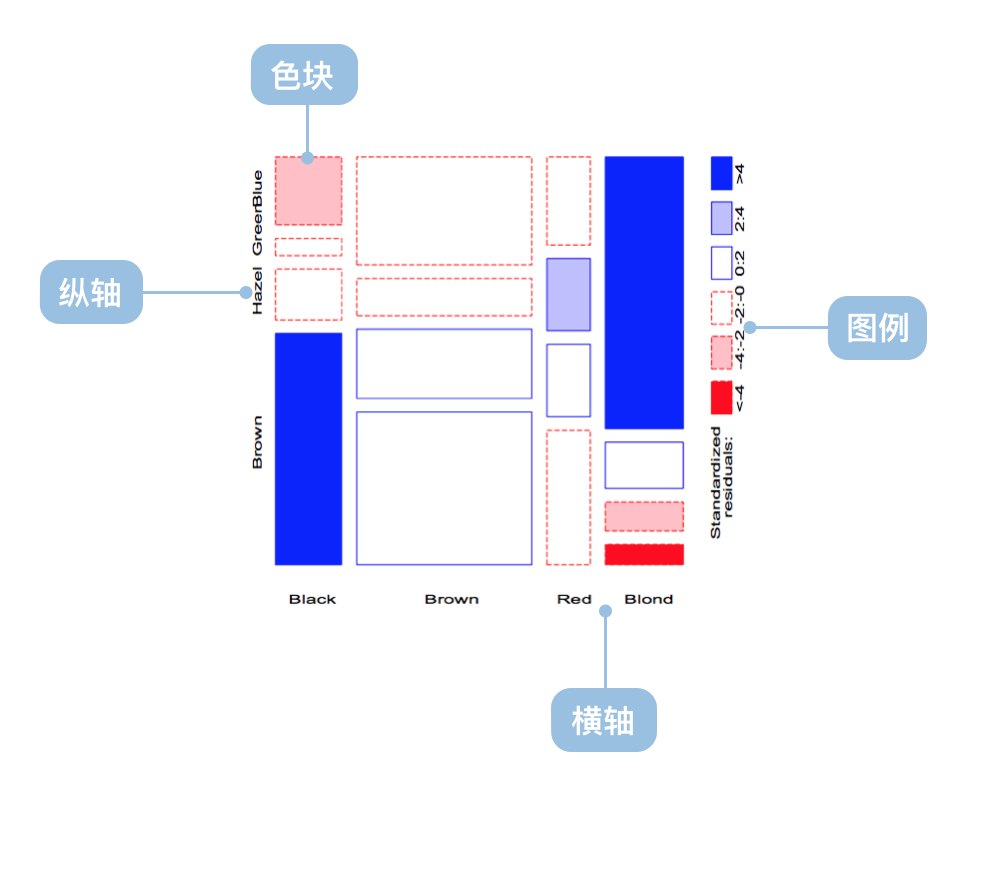 | Chart Type | Non-uniform Axis Mosaic Plot |
| --------------- | --------------------------------------------------------------------------------------------------------------------------- |
| Suitable Data | Multi-dimensional categorical data |
| Functionality | Display distribution of multi-dimensional categorical data |
| Data Mapping | Categorical data fields map to non-uniform coordinate axis
| Chart Type | Non-uniform Axis Mosaic Plot |
| --------------- | --------------------------------------------------------------------------------------------------------------------------- |
| Suitable Data | Multi-dimensional categorical data |
| Functionality | Display distribution of multi-dimensional categorical data |
| Data Mapping | Categorical data fields map to non-uniform coordinate axis
Area and color represent data proportions and classifications |
| Data Size Limit | More effective with higher dimensional data |
---
### Uniform Axis Mosaic Plot
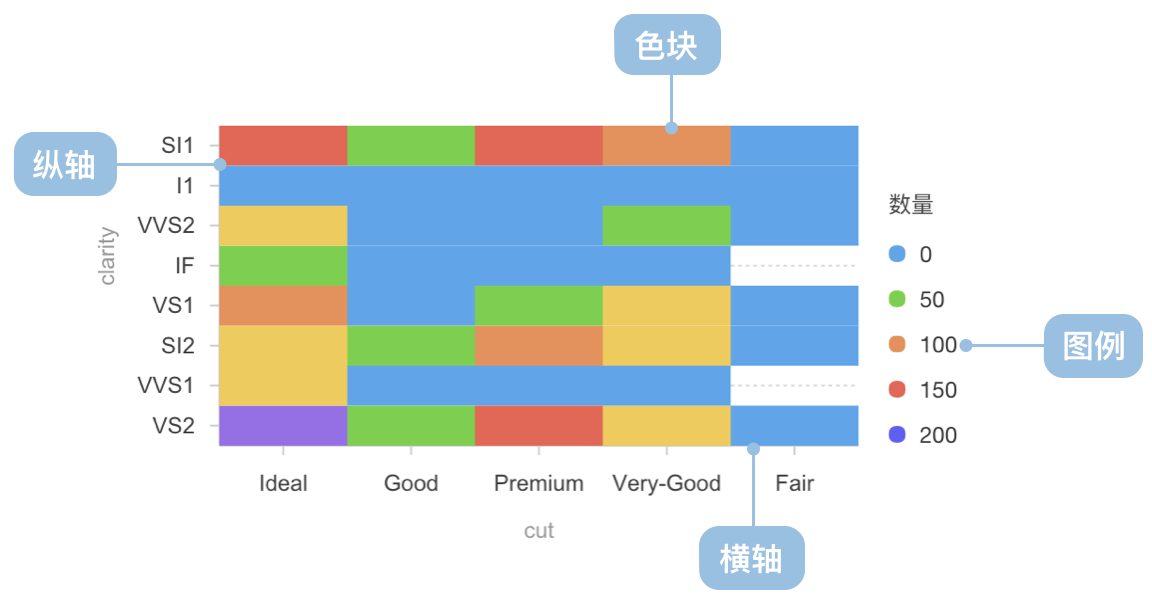 | Chart Type | Uniform Axis Mosaic Plot |
| --------------- | ----------------------------------------------------------------------------------------------- |
| Suitable Data | Two-dimensional categorical data |
| Functionality | Display distribution of two-dimensional categorical data |
| Data Mapping | Categorical data fields map to uniform coordinate axis
| Chart Type | Uniform Axis Mosaic Plot |
| --------------- | ----------------------------------------------------------------------------------------------- |
| Suitable Data | Two-dimensional categorical data |
| Functionality | Display distribution of two-dimensional categorical data |
| Data Mapping | Categorical data fields map to uniform coordinate axis
Color represents data classifications |
| Data Size Limit | More effective with lower dimensional data |
## Use Cases of Mosaic Plots
### Suitable Use Cases
Example 1: **Suitable for multi-dimensional categorical data analysis**
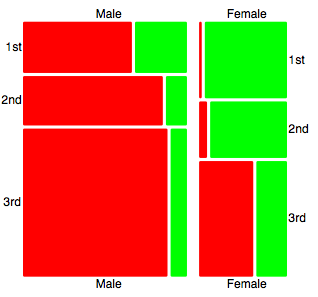
Example 2: **Suitable for two-dimensional categorical data analysis**
```ts
import * as G2 from '@antv/g2';
const chart = new G2.Chart({
container: 'container',
autoFit: true,
height: 400,
});
chart.options({
type: 'cell',
data: [
{ product: 'Phone', region: 'North', sales: 120, category: 'Premium' },
{ product: 'Phone', region: 'East', sales: 180, category: 'Premium' },
{ product: 'Phone', region: 'South', sales: 150, category: 'Premium' },
{ product: 'Computer', region: 'North', sales: 80, category: 'Mid-range' },
{ product: 'Computer', region: 'East', sales: 110, category: 'Mid-range' },
{ product: 'Computer', region: 'South', sales: 95, category: 'Mid-range' },
{ product: 'Tablet', region: 'North', sales: 60, category: 'Mid-range' },
{ product: 'Tablet', region: 'East', sales: 85, category: 'Mid-range' },
{ product: 'Tablet', region: 'South', sales: 70, category: 'Budget' },
{ product: 'Headphone', region: 'North', sales: 40, category: 'Budget' },
{ product: 'Headphone', region: 'East', sales: 55, category: 'Budget' },
{ product: 'Headphone', region: 'South', sales: 45, category: 'Budget' },
],
encode: {
x: 'product',
y: 'region',
color: 'category',
size: 'sales',
},
scale: {
color: {
palette: 'category10',
type: 'ordinal',
},
size: {
type: 'linear',
range: [0.3, 1],
},
},
style: {
stroke: '#fff',
strokeWidth: 2,
inset: 2,
},
legend: {
color: {
title: 'Product Category',
position: 'top',
},
size: {
title: 'Sales Volume',
position: 'right',
},
},
axis: {
x: {
title: 'Product Type',
labelAutoRotate: false,
},
y: {
title: 'Sales Region',
},
},
tooltip: {
title: (d) => `${d.product} - ${d.region}`,
items: [
{ field: 'sales', name: 'Sales', valueFormatter: (v) => `${v}K` },
{ field: 'category', name: 'Category' },
],
},
});
chart.render();
```
Example 3: **Market Segmentation Analysis (Non-uniform Mosaic Plot)**
This example demonstrates how to use a non-uniform mosaic plot to display the distribution of different market segments, where the width of each rectangle represents market size, and the height represents the proportion of each market segment.
```ts
import { Chart } from '@antv/g2';
const chart = new Chart({
container: 'container',
width: 900,
height: 800,
paddingLeft: 0,
paddingRight: 0,
});
chart.options({
type: 'interval',
data: {
type: 'fetch',
value:
'https://gw.alipayobjects.com/os/bmw-prod/3041da62-1bf4-4849-aac3-01a387544bf4.csv',
},
transform: [
{ type: 'flexX', reducer: 'sum' }, // Flexible X-axis width
{ type: 'stackY' }, // Y-axis stacking
{ type: 'normalizeY' }, // Y-axis normalization
],
encode: {
x: 'market',
y: 'value',
color: 'segment',
},
axis: {
y: false,
},
scale: {
x: { paddingOuter: 0, paddingInner: 0.01 },
},
tooltip: 'value',
labels: [
{
text: 'segment',
x: 5,
y: 5,
textAlign: 'start',
textBaseline: 'top',
fontSize: 10,
fill: '#fff',
},
{
text: 'value',
x: 5,
y: 5,
textAlign: 'start',
dy: 15,
fontSize: 10,
fill: '#fff',
},
],
});
chart.render();
```
Example 4: **Movie Rating Distribution Analysis (Density Mosaic Plot)**
This example demonstrates how to use a density mosaic plot to analyze the relationship between IMDB and Rotten Tomatoes ratings, where the color intensity represents the number of movies.
```ts
import { Chart } from '@antv/g2';
const chart = new Chart({
container: 'container',
autoFit: true,
});
chart.options({
type: 'rect',
data: {
type: 'fetch',
value: 'https://assets.antv.antgroup.com/g2/movies.json',
},
encode: {
x: 'IMDB Rating',
y: 'Rotten Tomatoes Rating',
},
transform: [
{ type: 'bin', color: 'count', thresholdsX: 30, thresholdsY: 20 },
],
scale: {
color: { palette: 'ylGnBu' },
},
tooltip: {
title: { channel: 'color' },
items: [
(d, i, data, column) => ({
name: 'IMDB Rating',
value: `${column.x.value[i]}, ${column.x1.value[i]}`,
}),
(d, i, data, column) => ({
name: 'Rotten Tomatoes Rating',
value: `${column.y.value[i]}, ${column.y1.value[i]}`,
}),
],
render: () => '1',
},
});
chart.render();
```
Example 5: **Athletes' Physiological Data Analysis (Grouped Density Mosaic Plot)**
This example shows how to use a mosaic plot to display the height and weight distribution of athletes grouped by gender, with opacity representing data point density.
```ts
import { Chart } from '@antv/g2';
const chart = new Chart({
container: 'container',
autoFit: true,
});
chart.options({
type: 'rect',
data: {
type: 'fetch',
value: 'https://assets.antv.antgroup.com/g2/athletes.json',
},
encode: {
x: 'weight',
y: 'height',
color: 'sex',
},
transform: [{ type: 'bin', opacity: 'count' }],
legend: {
opacity: false,
},
style: {
inset: 0.5,
},
tooltip: {
title: { channel: 'opacity' },
items: [
(d, i, data, column) => ({
name: 'Weight',
value: `${column.x.value[i]}, ${column.x1.value[i]}`,
}),
(d, i, data, column) => ({
name: 'Height',
value: `${column.y.value[i]}, ${column.y1.value[i]}`,
}),
],
},
});
chart.render();
```
### Unsuitable Use Cases
Mosaic plots are not suitable for:
- Displaying continuous numerical data trends
- Showing precise numerical comparisons
- Analyzing time series data
- Displaying data with too many categories (which can make the chart cluttered and hard to read)
## Comparing Mosaic Plots to Other Charts
### Mosaic Plots and [Heatmaps](/en/charts/heatmap/)
- From graphical properties perspective:
- Heatmaps represent the third dimension with **linear** color changes
- Mosaic plots represent the third dimension with **categorical** colors
- Standard heatmaps use smoothing algorithms with no clear boundaries
- Mosaic plots have clear boundaries
- From data perspective:
- Uniform mosaic plots and heatmaps have very similar meanings for continuous data
- From analytical needs perspective:
- Heatmaps focus on distribution and can predict data in unknown areas
- Mosaic plots have clearer boundaries and focus more on comparison
### Mosaic Plots and [Treemaps](/en/charts/treemap/)
- Mosaic plots are better for showing relationships between multiple categorical variables
- Treemaps are more suitable for displaying hierarchical data structures
- Mosaic plots use position and area to encode data
- Treemaps primarily use area and nesting to represent hierarchical relationships
## Similar Charts
[Interactive content]()
## Categories
[Interactive content]()